
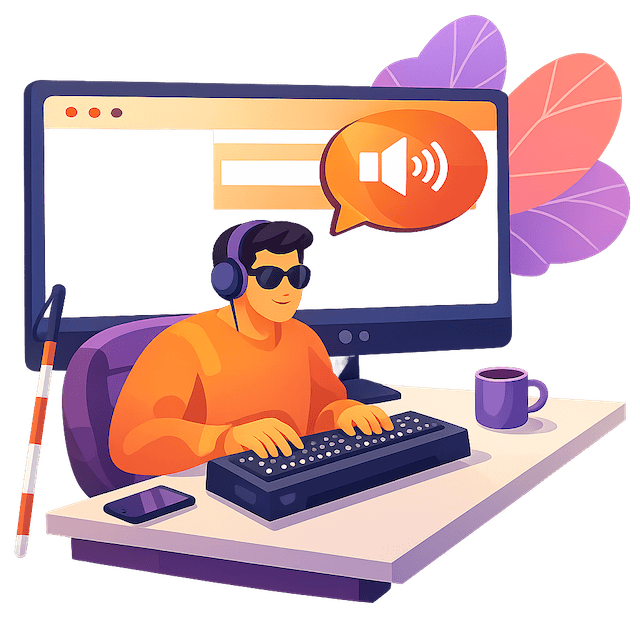
1.3 billion people worldwide – 1 in 6 according to the WHO – live with a significant disability. Many of them rely on assistive technologies that most website designers have never tested.
Screen readers, braille keyboards, magnification software, text-to-speech: these assistive technologies are, for their users, often the only way to access the internet. In Luxembourg, where the law of 28 May 2019 requires digital accessibility in the public sector – and where the 2023 law extends obligations to many products and services, primarily digital ones – ignoring these tools means closing the door to part of your audience.
In this article, I explain what these technologies are, how they interact with your website, and what this means in practice for designing your digital content.
What is an assistive technology?
An assistive technology (or assistive device) is any hardware or software that enables a person with a disability to access digital information. There are several main categories.
Screen readers
A screen reader is software that renders the content of an application and its interface in spoken form or as braille. It also enables interaction with a computer or smartphone. The user does not use a mouse: they navigate entirely with the keyboard, moving from one part of the screen to another. On web pages, for example, they move from heading to heading, from link to link, or line by line.
The most widely used screen readers are:
- JAWS (Windows, paid) – the historical leader in professional environments
- NVDA (Windows, free) – widely used and growing steadily
- VoiceOver (Apple macOS and iOS, built-in) – the dominant option on mobile
- TalkBack (Android, built-in) – the standard on Android devices
According to a study of French-speaking users (Belgium, France, Luxembourg, Quebec, Switzerland), JAWS remains the top choice on desktop at 45%, followed by NVDA at 29%. On mobile, VoiceOver leads with over 78% of usage.1
Keyboard navigation is not the same as screen reader navigation. This is a common misconception. A keyboard-only user sees the content as they move through it. A screen reader user, by contrast, only hears the element that currently has focus. They have dedicated commands to navigate through headings, lists, tables and form fields – independently of the keyboard focus. This means that the semantic structure of your HTML is the true backbone of accessibility.
Braille displays and braille keyboards
More than half of screen reader users also use braille with their software.2 A braille display (or refreshable braille display) is a device that translates the text on the page into tactile braille characters, line by line. A braille keyboard allows text to be entered without sight. These devices work in direct connection with the screen reader.
Magnification software and text-to-speech
People with low vision often use magnification software (ZoomText, the Magnifier built into Windows) that can enlarge the display up to 400% or more. At that level of zoom, a poorly designed website becomes unusable: text overflows, buttons disappear, horizontal scrolling becomes exhausting.
Text-to-speech allows text to be read aloud. It is built into all modern operating systems and most browsers. Dedicated tools such as Sproochmaschinn.lu – a platform from the Centre for the Luxembourgish Language – even offer this feature for texts written in Luxembourgish.
Speech recognition (speech-to-text)
Conversely, speech recognition allows users to dictate text and commands instead of typing them. It is particularly valuable for people with motor limitations. Tools like LuxASR, developed by the University of Luxembourg, offer this functionality in the Luxembourgish language.
Why these tools impose specific requirements on your website
Understanding assistive technologies means understanding why accessibility cannot be reduced to an “accessible mode” or an overlay widget bolted on at the end. These tools read your code. If it is poorly structured, they fail – and so does the user.
Correct semantic HTML: the foundation of everything
A screen reader does not see that your headings are larger. It reads the <h1>, <h2>, <h3> tags. If your headings are styled with CSS rather than marked up with the appropriate tags, they are invisible to it. The same applies to lists, buttons and ARIA landmarks.
Practical consequence: a visually flawless website can be completely inaccessible to a screen reader if the HTML structure is poor.
Links and buttons must make sense out of context
A screen reader can list all the links on a page. If your links are labelled “click here” or “read more” without context, the list becomes meaningless. Every link must describe its destination. Every button, its action.
Forms: a critical point
Form fields must be correctly labelled (a <label> associated with each <input>). Without a label, the screen reader announces “input field” and the user has no idea what to enter. This is a direct barrier to signing up for a service, making contact, or completing an online purchase.
Zoom to 400%: a WCAG requirement
The WCAG 2.1 guidelines (integrated into the European standard EN 301 549 and the Luxembourg reference framework RAWeb) require that content remains readable and usable at 400% zoom without excessive horizontal scrolling. A fixed-width website will consistently fail this criterion.
Declared languages: two attributes that change everything
A screen reader adapts its speech synthesis to the language of the page. If your page is in French but the lang attribute indicates en (English), the content will be read out in English and become unintelligible. This type of error, as small as it may appear, can render a website inaccessible overnight.
What this means for your organisation in Luxembourg
You may be subject to a legal obligation
In Luxembourg, two laws govern digital accessibility:
- The law of 28 May 2019 requires the State, local authorities and public law bodies (including many non-profit associations primarily funded by public money) to comply with WCAG 2.1 Level AA.
- The law of 8 March 2023 (transposing the European Accessibility Act) extends these obligations to many products and services: e-commerce, online banking, transport, electronic communications.
Compliance directly implies compatibility with assistive technologies. A WCAG 2.1 AA-compliant website works with screen readers, braille keyboards and magnification software. The two go hand in hand.
You reach a larger real audience
In Europe, 87 million people live with a disability3 – at least one in four adults. In Luxembourg, between 15% and 20% of the population is directly affected. Add to that older people, smartphone users in difficult conditions, and everyone who benefits from clearer, better-structured navigation.
A website that is compatible with assistive technologies is a better website for all users.
You strengthen your credibility and your image
Integrating accessibility from the design stage rather than delegating it to a third-party solution is a mark of quality and social responsibility. It is also the model endorsed by experts: built-in accessibility is more robust, less costly to maintain, and it benefits all users – not only those who need it most.
You reduce the risk of sanctions
The OSAPS (Office for the Surveillance of Accessibility of Products and Services) monitors compliance among private companies and can impose sanctions for non-compliance. The Information and Press Service (SIP) plays the same role for the public sector.
How key4.lu helps you become compatible with assistive technologies
When I develop an accessible website, I do not simply tick boxes in a reference framework. I test the sites I build with real screen readers. I build a correct semantic HTML structure from the design stage onwards, not as an afterthought.
The training courses I offer also cover the use of assistive technologies. Understanding how a screen reader works changes the way you design content.
FAQ – Assistive technologies and digital accessibility
What exactly is a screen reader, and who uses it?
A screen reader is software that vocalises or converts to braille the content displayed on screen. It is primarily used by blind or visually impaired people, but also by some people with dyslexia or reading difficulties. It works with the keyboard: the user navigates the page using dedicated shortcuts to reach headings, links, forms or page regions. NVDA and JAWS are the most common on Windows; VoiceOver is built into Apple devices.
Does my website have to be compatible with screen readers in Luxembourg?
If your organisation is a public administration, a local authority, or a non-profit association primarily funded by public money, the answer is yes, since the law of 28 May 2019. For private companies, the 2023 law (EAA) requires compatibility for a defined scope of services: e-commerce, online banking, transport, electronic communications. In all cases, WCAG 2.1 AA compliance – which guarantees compatibility with assistive technologies – is the Luxembourg reference standard, through the RAWeb framework.
Is screen reader compatibility difficult to implement?
Not if it is considered from the outset. The most common errors are easy to avoid: incorrectly used heading tags, images without alternative text, forms without labels, links without descriptive text. A website built with a correct semantic HTML structure is naturally compatible with screen readers. The real challenge arises when trying to make accessible a site that was designed without these foundations – retrofitting is always more costly.
What does braille have to do with my website?
A braille display is a device that receives information from the screen reader and renders it as tactile braille characters. More than half of screen reader users use one alongside their software. For your website, this changes nothing technically: if your code is well structured for a screen reader, it also works with a braille display. The principle is the same: your HTML structure communicates directly with the assistive technology.
How can I tell whether my website is compatible with assistive technologies?
Several approaches complement each other. Automated tools such as WAVE or axe DevTools identify the most common errors (insufficient contrast, missing alternative text, etc.). However, a manual test with a real screen reader remains essential: some problems such as an inconsistent reading order, invisible focus, or poorly handled dynamic behaviour are only detected through actual navigation. The RAWeb framework, used in Luxembourg, provides a structured and comprehensive evaluation reference.
Do text-to-speech and speech recognition affect my website too?
Yes, indirectly. Text-to-speech reads the content of your website aloud. It therefore depends on the quality of your HTML structure and the correct language declaration. Speech recognition (speech-to-text) is used to navigate and interact: if your buttons and links have no accessible name, voice commands cannot target them. In both cases, clean, semantic code resolves the vast majority of problems.
Can I train my team on assistive technologies?
Absolutely – and it is even recommended. A communications team that understands how a screen reader works writes more relevant alternative texts, structures content more clearly, and maintains compliance over time without depending on an external provider for every change. I offer practical training courses tailored to communications officers, WordPress site managers and anyone who produces digital content.
Trainings available on request:
Do assistive technologies work on mobile too?
Yes. VoiceOver (iOS) and TalkBack (Android) are the two most widely used mobile screen readers – and VoiceOver accounts for more than 78% of smartphone usage according to available French-language studies. The RAAM framework (Référentiel d’évaluation de l’Accessibilité des Applications Mobiles) sets the criteria in Luxembourg for mobile applications, following the same logic as RAWeb for websites.
Conclusion: making your website readable by everyone is your responsibility
Assistive technologies are not edge cases. They are the only way for millions of people to access the internet. In Luxembourg, the law requires you to take them into account. And beyond the law, it is a matter of commitment to your audience.
A website compatible with a screen reader and other assistive tools is not a “special accessibility site”: it is simply a good website, well structured, designed for everyone.
- WebAIM, Screen Reader User Survey #10, February 2024 – 1,539 respondents, approximately 30% from Europe. [↩]
- access42 / Fédération des Aveugles de France study (2018): “More than half of respondents (51%) indicated they use braille with their screen reader.” Source: document Articles du blog access42 sur les technologies d’assistance, section “Enquête internationale sur l’usage des technologies d’assistance”. [↩]
- European Commission, Together for Rights, https://op.europa.eu/webpub/empl/together-for-rights/de/ [↩]
- WebAIM, Screen Reader User Survey #10, February 2024 – 1,539 respondents, approximately 30% from Europe. ↩︎
- access42 / Fédération des Aveugles de France study (2018): “More than half of respondents (51%) indicated they use braille with their screen reader.” Source: document Articles du blog access42 sur les technologies d’assistance, section “Enquête internationale sur l’usage des technologies d’assistance”. ↩︎
- European Commission, Together for Rights, https://op.europa.eu/webpub/empl/together-for-rights/de/ ↩︎